
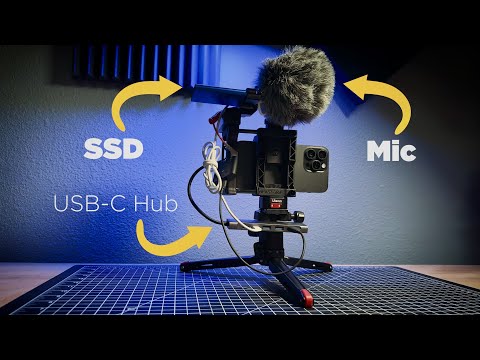
How to use various USB-C accessories to record video & sound (simultaneously) with an iPhone 15 or 16/17 Pro/Max and the Blackmagic Cam app. This setup will also work with other third-party apps that support HDMI video out.
🎬 My movie is NOW STREAMING!👇🏻 (partially shot on iPhone)
▶︎ FEATURED GEAR:
USB-C to 3.5mm (Amazon)
RODE AI Micro
Basic USB-C Hub (Amazon)
Advanced USB-C Hub (Amazon)
Fast Multi-Port USB-C Hub (nice, but no pass-thru charging) (Amazon)
SSD (Amazon)
Beastgrip Pro (Amazon)
RODE Mic (Amazon)
USB-C to HDMI (for basic A/V) (Amazon)
NOTE: Other USB-C hubs will work, but these are the ones I’ve tested so far – and as always – your results may vary.
LEARN MOBILE FILMMAKING!
▶︎ Complete Guide to the Blackmagic App
▶︎ Smartphone Cinematography 101 (SAVE 10%):
▶︎ The DIY Short Film Guide
▶︎ The Complete Guide To Smartphone Audio:
▶︎ LumaFusion Color Grading 101:
🎥 Making movies with an iPhone? Check out our LUT Packs!
▶︎ MUSIC We Use (get 2 months free):
▶︎ EDITED with Adobe Premiere Pro
▶︎ FAVORITE Apps & Gear:
FiLMiC Pro (camera app)
LumaFusion (editing app) on iOS:
Smartphone Gimbal
Hybrid Gimbal
Tripod Mount
Mini Tripod
Bendy Tripod
Battery Pack
Small LED Light
Camera Mount Mic
Moment Lenses
Anamorphic Lens
Moondog Universal Filter Mount
Sandmarc ND Filters/Lenses
Need more smartphone filmmaking gear ideas?
▶︎ JOIN this channel to support it and access cool perks:
▶︎ CONNECT:
▶︎ SUBSCRIBE & listen to my PODCAST
If you’re new to the channel it’s all about taking mobile & DIY filmmaking to the next level. I share tools, tips & techniques to empower indie filmmakers, YouTube creators, mobile journalists and really anyone who wants to create better videos and movies. I primarily use iOS devices – but most of the tips will work with any smartphone – so if you’re an Android user there’s plenty of good info here for you, too! 🙂
CHAPTERS:
0:00 Intro
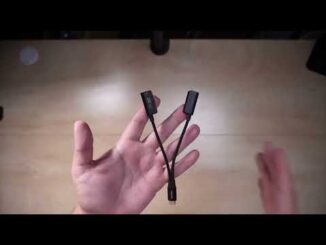
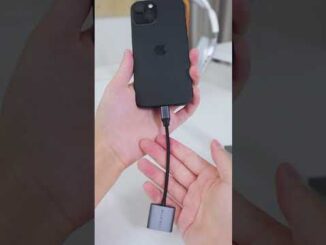
0:17 3.5mm adapter
1:23 AI Micro
2:52 Basic USB-C Hub
5:02 Advanced USB-C Hub
6:27 Wrap-up
Disclaimer: Some links used are affiliate links from Amazon, B&H and more. We get a small commission on any sales which helps support our channel – and it costs you nothing extra.
#apple #filmmaking #iphone
Thanks for watching!
©2023 Splashbox Studios
Hello there! I’ve commented in the past and actually bought the hub from your suggestion (thanks again!) Did you ever come up with a way to combine all the cords on this setup? I’m in the process of setting up my own smallrig universal phone cage and I’m struggling a little with the excess cords (light, mirror, battery pack, mic, etc). Thanks a bunch!
powerbank is more important than
when using the usb-A to connect your ssd does it affect the recording speed? knowing that USB-C is faster than the USB-A?
What’s the name of the app you are using for recording video?
is it possible to attenuate audio signal coming in to prevent clipping? For example if we get the audio from a DJ mixer?